Buying guide
Top Audio Interfaces On The Market - The World Of Home Recording
These new models included a few high-end units, like the MOTU UltraLite AVB and the Behringer U-PHORIA UMC1820, as well as the awesome Audient iD4, and two cool entry-level…
27models covered
3brands with a page
4ways to narrow it down
Narrow it down
Choose by brand
Every audio interfaces we cover
| # | Model | Brand | What we said |
|---|---|---|---|
| 1 | Roland Studio-Capture | Roland | The epitome of versatility, sound quality and practicality in a rugged package. |
| 2 | Focusrite Clarett 8Pre | Focusrite | A very capable package that combines fast Thunderbolt speeds and solid hardware. |
| 3 | Roland Octa-Capture 10X10 | Roland | One of the most advanced and most versatile models on the market. |
| 4 | Audient iD4 | The Brits lead the way with the exceptional Audient iD4! | |
| 5 | Steinberg UR242 | Steinberg | One of the most solid choices on the market at the moment. |
| 6 | M-AudioM-Track C-Series 2x2M | A very well rounded interface that offers both style and impressive performance. | |
| 7 | Tascam US-1X2 | Tascam | Taking the top spot for quality design, build and performance. |
| 8 | Mackie Onyx Artist 1-2 | Mackie | Rugged device, quality performance – this audio interface sets the bar high! |
| — | Behringer U-PHORIA UMC204HD | Behringer | A true workhorse that combines versatility with rock solid performance and consistency. |
| — | Behringer U-PHORIA UMC404HD | Behringer | An awesome example of versatility in the budget segment of the market. |
| — | Focusrite Clarett 2Pre | Focusrite | Next gen audio interface that shows how far this tech can go. |
| — | Focusrite Scarlett 18i8 | Focusrite | One of the most versatile Scarlett models that retains a compact format. |
| — | Line 6 Sonic Port | Line 6 | A rather niche, but ultimately awesome interface that caters to traveling musicians. |
| — | M-Audio M-Track 2X2 C-Series | M-Audio | A stylish and somewhat different audio interface that brings rock solid performance. |
| — | M-Audio M-Track Eight | M-Audio | A versatile, no-nonsense audio interface that brings analog simplicity and numerous inputs. |
| — | MOTU 828x | MOTU | One of the most versatile rack mount models you will currently find. |
| — | Native Instruments Komplete Audio 6 | Native Instruments | Well designed interface that is packed with solid hardware and awesome software. |
| — | PreSonus AudioBox iTwo 2x2 | PreSonus | One of the older designs which has been updated and slightly modified. |
| — | PreSonus AudioBox USB 2x2 | PreSonus | One of the oldest designs that is still very much relevant today. |
| — | PreSonus Studio 192 | PreSonus | Lots of features, I/O options combined with rock solid hardware solutions. |
| — | Steinberg UR12 | Steinberg | Incredibly affordable, yet very practical model that performs up to the standards. |
| — | Steinberg UR824 | Steinberg | Brilliant fusion of great hardware, equally good software and very practical design. |
| — | Tascam US-2x2 | Tascam | A proper workhorse that’s built like a tank and equally as capable. |
| — | Universal Audio Apollo Twin MKII DUO | Universal Audio | Simple, minimalist interface that is full of practical solutions and impressive performance. |
| — | FocusriteScarlett 2i4 | A very reliable interface that is all about pure performance and consistency. | |
| — | iConnectivity iConnectAUDIO2+ | An interesting interface that combines some pretty unique features with good performance. | |
| — | Resident Audio T4 | Simple design paired with Thunderbolt speeds makes for a really awesome interface. |
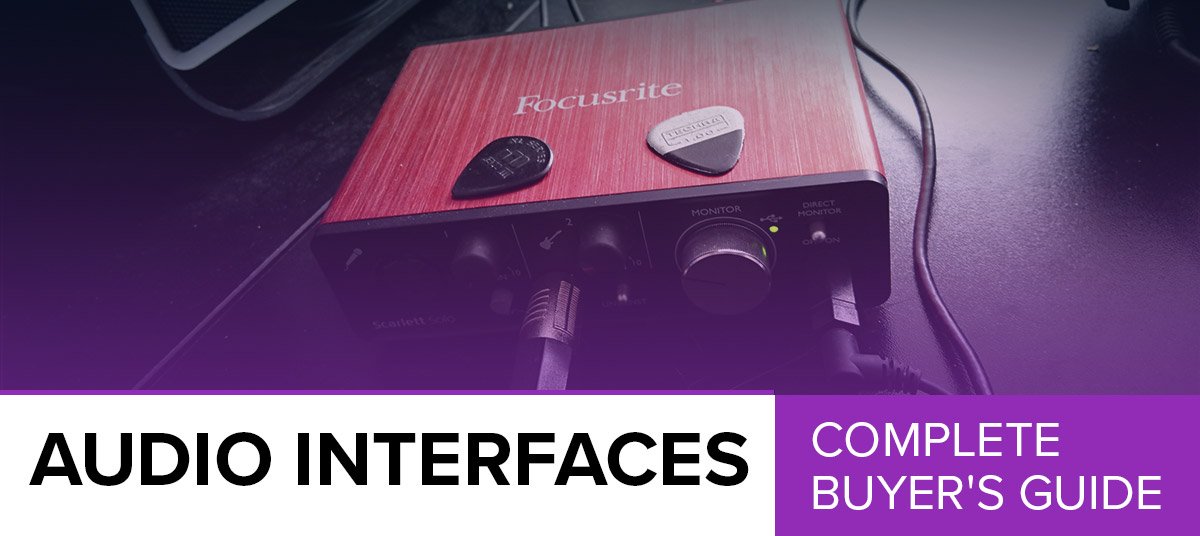
Last Updated: November-19-2018 It was all change in this article on the best audio interfaces, as we removed a few models – such as the Resident Audio T4 and the Focusrite Scarlett Solo – and replaced them with some new additions. These new models included a few high-end units, like the MOTU UltraLite AVB and the Behringer U-PHORIA UMC1820, as well as the awesome Audient iD4, and two cool entry-level devices – the Tascam US-1X2 and the Mackie Onyx Artist 1X2.Until fairly recently, if you wanted to record music, you had to suck it up, pay the toll and book some time in a recording studio. Thankfully, in 2018, those days are long gone! Technology has advanced to a point where you can find the same – or at least similar – results at home, even on a budget. This is where an audio interface comes in. Today we’re going to introduce you to this type of audio device and talk about what they can offer a home producer right up to a studio professional. Before that, let’s take a look at our top ten audio interface picks, from high-end to entry-level models.
Top 10 Best Audio Interfaces:
What is an Audio Interface?
Before we discuss what to look out for, it’s probably worth talking about what exactly an audio interface is! As computers became more accessible, affordable and efficient, so many things crossed over from analog to digital. This is very true when it comes to recording music. Not so long ago, in order to record guitars, you had to spend time in a recording studio with large mixers, mics and amplifiers. If you wanted to record music at home, you were simply out of luck! Needless to say, not everyone could record and those who could were usually paying a decent price for the privilege. In 2018, things are very different. All you really need is a computer, an audio interface and you are set to go! So, what exactly is an audio interface? In simple terms, it is an external audio card that you can connect to your computer via USB or other ports. The device itself contains a microphone preamp and analog to digital converters. This way you can plug your microphone or guitar cable into it, and it will translate the signal from both into something your computer can read. This allows you to record, playback and edit audio with ease. These devices can be very simple and extremely affordable. You can easily find a great audio interface for under $100. On the other hand, there are those that will cost you up to $1,000 – you can learn more about high-end audio interfaces in our dedicated guide.What is Needed to Record Music with an Audio Interface?
No matter how simple or complex your audio interface, you will only need a computer to actually use it. However, the software side of things is a different story. The most common way of using an audio interface is to pair it with a Digital Audio Workstation (DAW) of your choice, allowing you to record and edit music. Most modern interfaces are fully compatible with the majority of modern DAWs and, if you don’t already have access to a good DAW, you will be pleased to know that most interfaces for sale today come with a copy of one.What Can You Record with an Audio Interface?
Forget the high end for a moment – the most common I/O setup on a basic, entry-level audio interface includes at least one microphone input (XLR) with a mic preamp behind it, and then a separate 1/4” instrument input (TRS). Using nothing more than a basic interface such as this one, you can record vocals, guitars, bass guitars, keyboards and more, providing you can plug the instrument into a 1/4” TRS jack. As you start investing more money, different opportunities begin to open up. For example, with a good $200 audio interface, you can simultaneous record multiple instruments and vocals at the same time, with no problems. This is why the bigger and more ambitious your studio, the more you are likely to spend.How to Connect an Audio Interface
One of the main reasons audio interfaces exist in the first place is to combat latency. In short, latency is nothing more than the delay created by the computer due to the time required to process the input signal. An audio interface will reduce this latency to a manageable level. The most common way to link an interface to a computer is by using a standard USB cable. Even in 2018, using USB 2.0 is still the norm, although better alternatives do exist. While USB 3.0 is slowly coming into the industry, Firewire and Thunderbolt are the main connections you’ll see on higher-end devices. Both of these are exponentially faster than a standard USB connection, which is why they are so popular. The main benefit of using these connections instead of standard USB is having near zero latency, as well as the ability to layer all kinds of effects onto your signal in real time with no issues. However, keep in mind that both Thunderbolt and Firewire require matching ports on your computer to function – be sure to check before you make a purchase!What to Look for When Shopping
Interested in an audio interface? Before you dive in, there are a few considerations! The first being the form factor – the shape and size of the unit. If you are in a bedroom or home studio, a compact desktop audio interface, which sits inconspicuously on your desk, is the best option, while it has the additional benefit of being portable if you are recording on the go. If you are in a big studio, you probably don’t need us to tell you that a rack-mounted interface is more appropriate for you, as you can install it into a rack (as you probably do with everything else!). Next, consider the I/O options (the inputs and outputs on the device). This is where you need to plan ahead. Some people will be perfectly content with having one microphone input and one instrument input, especially if you are just recording music by yourself at home. However, some people may require more like 30 inputs! These are found on higher-end interfaces, with a mix of both analog and expandable digital ports. Even if currently you only require one or two inputs, down the line you may need more. In our book, more is always better, because you never know what is in store for the future. The sound quality is a further consideration although most devices these days (especially those we have featured in our charts) will offer high-resolution audio at 96kHz/24-bit or the even higher definition 192kHz/24-bit. The difference between these two is pretty hard to spot, so it’s not as big a consideration, unless you are working in a big studio on pro-grade audio. Finally, you may want to look at the features the audio interface offers. Cheaper interfaces will usually have very few features aside from the standard inputs and basic controls. However, as you move up in price, you will start to see features such as automatic gain level adjustments and signal analysis. Figure out whether you actually need these, as it can save you a lot of money if you can do without. Ultimately, you have to look at your current budget and ambitions, and then plan ahead before choosing an interface that will suit you.Can You Use Them Outside of The Studio?
Providing they are portable enough, then yes – you can use an audio interface outside of the studio. The general rule of thumb is that USB interfaces can be used outside of a studio, as they use USB protocol to both send the data and power the device. This means, you can power an interface with your laptop or tablet while on the go. Thunderbolt and Firewire platforms usually require a separate power adapter, making them far less suitable for this type of application.The Final Word
Audio interfaces are the go-to choice for recording music at home, while many professional studios prefer to use these modern devices over bulky analog gear. The models we have highlighted in our chart above are undoubtedly some of the best on the market at the moment. All that is left for you to do now is to go out and read some reviews before settling on an audio interface that fits your requirements. Whether you are just starting out, or are about to make the next big hit, we hope you enjoy your new purchase!If you need more help with setting up your studio, check out the related buying guides for recording gear: Studio Monitors Studio Headphones Microphones: Condenser|Dynamic|USB Laptops For Music Production MIDI Controllers DAW Software